 | II. Key Technical Parameters of the Sensor Module
※ Operating voltage: DC 4.3–6.4V.
※ Power Consumption: Static power consumption ≤0.15 mW (≤25 µA).
※ Sensor detection range at factory: Tolerance within ±10% of the nominal distance.
※ Output: Maximum output current 800 mA; output voltage 3.9 V–6 V; output pulse width 35 ms.
※ Low Voltage Alarm: A low voltage alarm is triggered when the operating voltage drops to ≤ 4.3 ± 0.1 V.
※ Flush duration setting range: 3s–23s
※ Sensor detection range: 200–900 mm (reference object: standard white board, 29.7 cm × 29.7 cm)
※ Distance Stability: With supply voltage dropping from 6.4 V to 4.3 V, distance variation remains within ±5%; with temperature rising from -20°C to +60°C, distance variation remains within ±15%.
※ Service life: ≥400,000 cycles; ≥5 years of operation.
※ Environmental Adaptability
(1) Operating temperature: -20°C to 60°C
(2) Storage temperature: 0°C–50°C
(3) Relative Humidity: 10%–95%
(4) Atmospheric pressure: 86 kPa–106 kPa
※ Anti-interference
⑴ Multiple sensor-operated sanitary fixtures can be powered on and operated simultaneously without false triggering.
(2) No false triggering from common electrical interference.
⑶ Control distance variation of less than ±10% when illuminated at an angle from a distance greater than 1 meter by an incandescent lamp.
※ Vibration Resistance: Amplitude 0.35 mm, frequency 10–55 Hz, three mutually perpendicular axes, 10 sweep cycles; appearance and performance meet requirements
※ Impact Resistance: Do not strike or knock
※ The sensor window controller should be protected from direct exposure to strong light.
3. Infrared Sensor Module Function Description
A. Infrared Transmission and Reception
The sensor sanitary ware controller operates on the principle of active infrared emission: IR beams are reflected by an obstacle and detected by a receiver tube to trigger control. When detection is valid, the indicator light flashes once.
B. Solenoid Valve Section
Utilizes a DC pulse solenoid valve. The induction controller outputs a 35ms pulse width to the DC pulse solenoid valve.
C. Low Battery Indicator
Powered by four AA batteries. When the voltage drops below 4.3V, the indicator light flashes upon object detection and the controller provides no output; battery replacement is required.
IV. Operating Modes of the Sensor Module
1. Sensor Urinal Flush Valve
※ When a person enters the sensor range for 1–2 seconds, detection is activated and the indicator light flashes once. The cycle ends 1–2 seconds after the person leaves. Flush modes are as follows:
A Water-saving mode: Each valid sensor activation triggers only one flush.
B Normal Mode: Two flushes are triggered per valid sensor detection (the first flush occurs upon valid detection, and the second flush is initiated after the preset time at the end of use).
※ Factory default setting: Normal Mode.
※ If unused for 24 consecutive hours, an automatic flush cycle is triggered.
※ Manual Flush: Each press of the manual button initiates a flush for the set duration. If the user leaves before the flush cycle is complete, a second flush will not be triggered.
2. Sensor Faucet
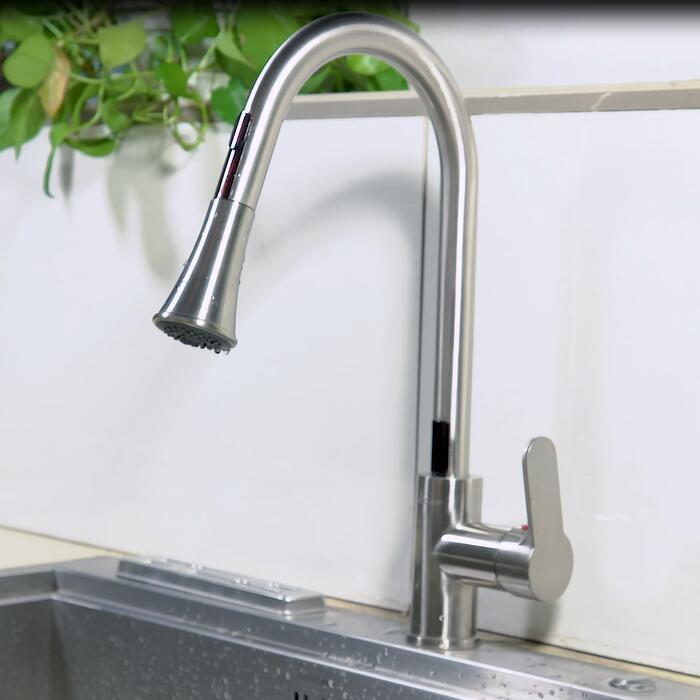
※ Water flows automatically when hands enter the sensor range, with the indicator light flashing once. Water shuts off 1.2 seconds after hands leave (to prevent frequent interruptions during handwashing). To avoid false triggering caused by obstacles within the sensing range, water flow is automatically cut off if it exceeds 66 seconds continuously.
3. Sensor-Activated Squat Pan Flush Valve
※ Water-Saving Mode: After continuous detection exceeding 3 seconds, the sensor activates. Upon user departure, if usage time is less than 1 minute, a 4-second flush is triggered; if usage exceeds 1 minute, the flush duration follows the set time (factory default: 9 seconds).
※ Normal Mode: Flushes for the set duration (factory default: 9 seconds) with each valid sensor detection.
※ Factory default setting is Normal Mode.
※ Manual Flush: Each press of the manual button triggers a flush for the set duration. If the user leaves before the manual flush cycle is complete, no second flush will be initiated.
4. Shower Modes
※ Automatic water flow activates when hands enter the sensor range and shuts off 3.4 seconds after they leave (preventing frequent interruptions during showering).
5. Close Mode
※ Sensor controller stops working.
|  | 5. Instructions for Using the Remote Control of Sensor Sanitary Ware
1. Remote control types: Operating mode setting remote, sensor distance and flush time setting remote
2. Operating Instructions:
※ Operate the remote within 0.5–2.0 m directly facing the controller. The button is active when the remote’s indicator light turns on (keep the remote aligned with the controller until the light goes out before making a second adjustment).
※ Remote Control for Operating Mode Settings:
A. Press key "1" to set the unit as a Sensor Faucet; the indicator light on the effective controller will flash at 1 Hz for 3 seconds.
B. Press the "2" key to set the unit as a sensor urinal; the indicator light on the controller will flash at 1 Hz for 3 seconds to confirm valid settings.
C. Press the "3" key to set the sensor squat pan mode; the indicator light on the controller will flash at 1 Hz for 3 seconds to confirm activation.
D. Press the “4” key to set the sensor shower; the indicator light on the controller will flash at 1 Hz for 3 seconds.
E. Press the “5” key to set the controller to Off mode. The indicator light will flash at 1 Hz for 3 seconds to confirm the setting is active. Press the corresponding working mode key again to resume operation.
※ Remote Control for Sensor Range and Flush Time Settings:
A. Press the "1" key to increase the sensing distance. For faucets, each press extends the sensing distance by 3–4 cm; for urinals, squat pans, and showers, each press extends it by 5–10 cm (reference: 29.7 × 29.7 cm standard white board). Once the setting is effective, the indicator light on the controller flashes once. When the maximum sensing distance is reached, the indicator light flashes at 1 Hz for 3 seconds.
B. Press the “2” key to shorten the sensor range. For faucets, each press reduces the sensing distance by 3–4 cm; for urinals, squat pans, and showers, each press reduces it by 5–10 cm (reference: 29.7 × 29.7 cm standard white board). The setting takes effect when the indicator light on the controller flashes once. When the minimum sensing distance is reached, the indicator light flashes at 1 Hz for 3 seconds.
C. Press the "3" key to extend the second flush duration of the sensor urinal and the flush duration of the sensor squat pan. Each press increases the flush time by 1.2 seconds (setting range: 3–25 seconds). A single blink of the controller indicator confirms a valid setting; when the maximum duration is reached, the indicator flashes at 1 Hz for 3 seconds.
D. Press the "4" key to shorten the second flush duration of the Sensor Urinal and the flush duration of the Sensor Squat Pan. Each press reduces both durations by 1.2 seconds (adjustable range: 3–25 seconds). Upon successful setting, the controller indicator light flashes once. When the minimum duration is reached, the indicator light blinks at 1 Hz for 3 seconds.
E. Press the “5” key to toggle between normal mode and water-saving mode for sensor urinals and sensor squat pans; upon successful setting, the controller indicator flashes at 1 Hz for 3 seconds.